
tl;dr
To get real value from employee surveys, you need context (metadata) like location, team and tenure. You can either ask employees to fill this in manually (Self-reported) or pull it from your HR system (Imported). Manual entry often leads to less consistent data and can impact response rates. Importing data is typically faster, more accurate and reduces the effort required from employees. Luppa supports both methods, but we recommend importing data to ensure the highest quality insights and the best employee experience.
Introduction
When companies run employee surveys, most of the attention goes to the questions and the final scores.
But there is a quieter, less visible layer that matters just as much: metadata.
Metadata is the context behind your data. It is the background information, such as an employee’s location, team, seniority and tenure, that gives your results deeper meaning. For example, knowing your company's overall engagement score is 70% is nice. But knowing that the Sales team is at 90% while the Support team in Berlin is at 40%? That gives you something you can act on.
Without metadata, your insights stay shallow. With poor-quality metadata, they can even become misleading. But when done right, metadata is exactly what turns survey results into something you can actually act on.
The real question isn’t whether you should collect metadata. It’s how you collect it and this applies to every survey tool on the market, not just Luppa.
Why context is the secret to action
Raw scores tell you "what." Metadata tells you "where" and "who." Imagine your survey shows a drop in "Learning & development."
- Without metadata: You try to fix training for the whole company (expensive and inefficient).
- With metadata: You see the drop is specifically among Junior Developers in the Zagreb office. Now, you have a targeted problem you can actually solve.
And to reach that level of clarity, how you collect the data becomes crucial.
The two ways to collect metadata
In practice, there are two main ways to collect this information and the choice between them directly impacts data quality, response rates and the overall employee experience.
1. Self-reported metadata (Entered by employees)
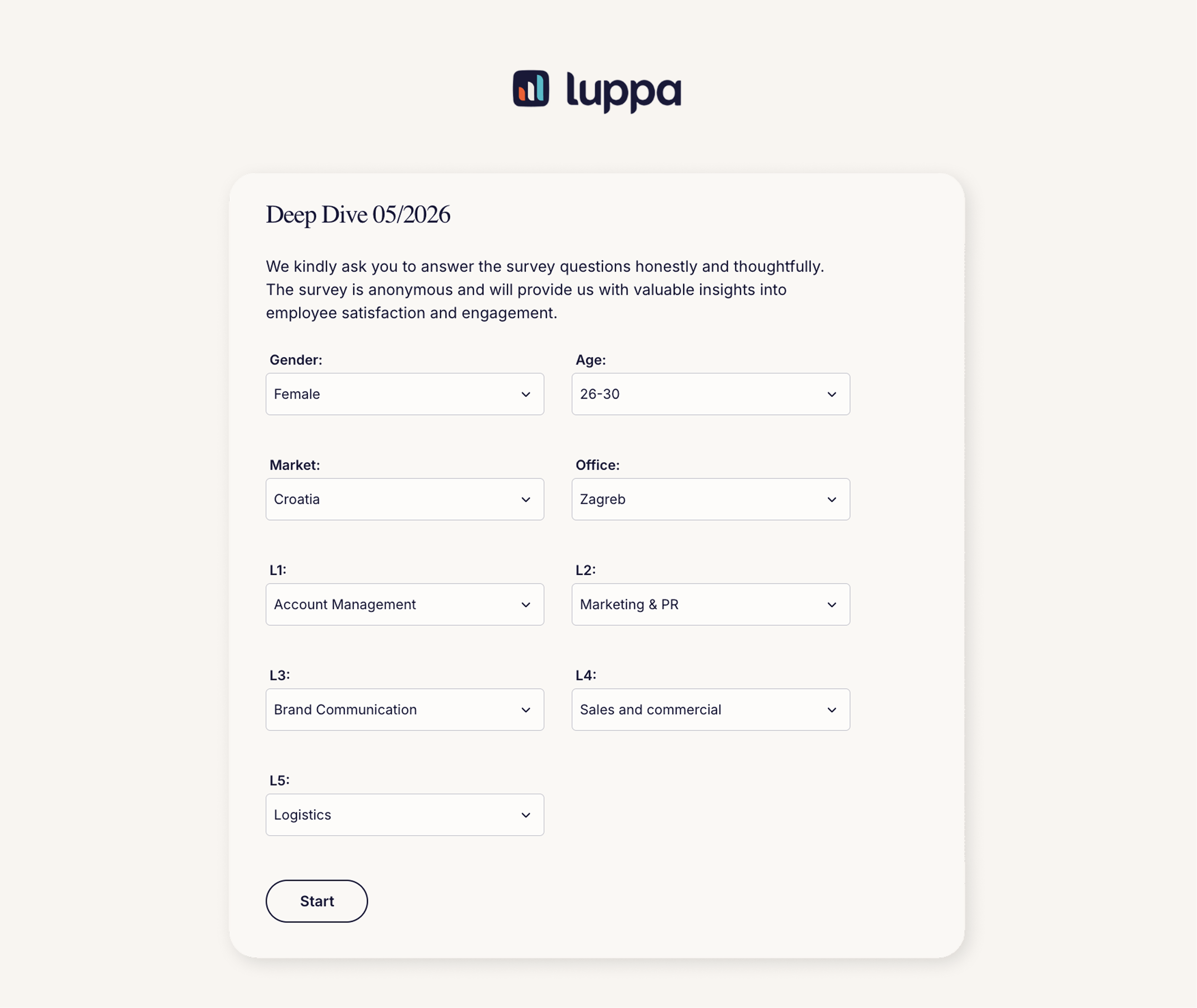
This is more traditional way of collecting employee data. When employees open a survey, the first few questions ask them to fill in details about themselves, such as their gender, location, team, role, etc.
At first glance, this seems simple and flexible. But in reality, relying on self-reported data comes with several frustrating trade-offs.
What happens in practice:
- Lower completion rates: Every additional field makes the survey slightly harder to complete. Especially on mobile where a huge portion of employees actually respond, even a few extra inputs can noticeably reduce completion rates.
- Data inconsistency: When employees enter their own metadata, there is always a risk of errors. Some of these are unintentional, such as typos, misunderstandings, or simply not knowing the exact name of their team or department, which is especially common in larger organizations. But some inaccuracies can also be intentional, particularly if employees feel unsure about how anonymous the survey really is.
- Messy data (especially offline): Without strict dropdowns, inconsistencies are almost inevitable. Even small differences in how people enter information can create problems later. One person writes “NY”, another “NYC”, a third “New York” — technically the same thing, but fragmented in your data.
- Offline / pen & paper surveys: In offline or paper-based formats, these challenges are even more pronounced. Handwritten answers often introduce issues such as illegible entries, differences in handwriting and inconsistent interpretation, making it significantly harder to ensure data accuracy and consistency.
- Anonymity perception: Employees do not perceive any meaningful increase in the anonymity of their responses. Since they are still asked to provide identifiable information upfront, the structure of the survey does not significantly change how safe or anonymous they feel when responding.
2. Imported metadata (From company systems)
Because of these challenges, more and more companies (regardless of size or type) are moving toward a different approach: importing metadata directly from their internal systems.
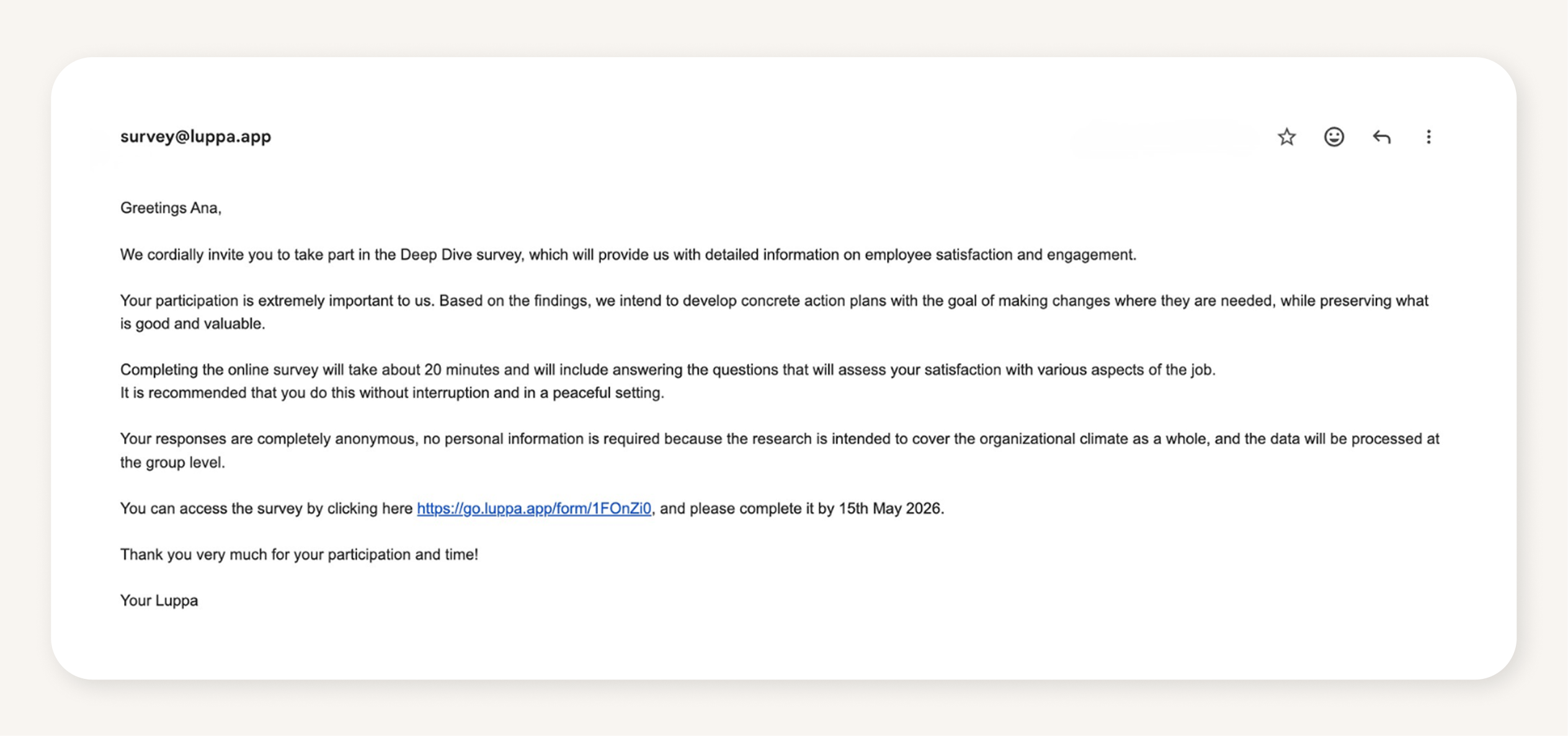
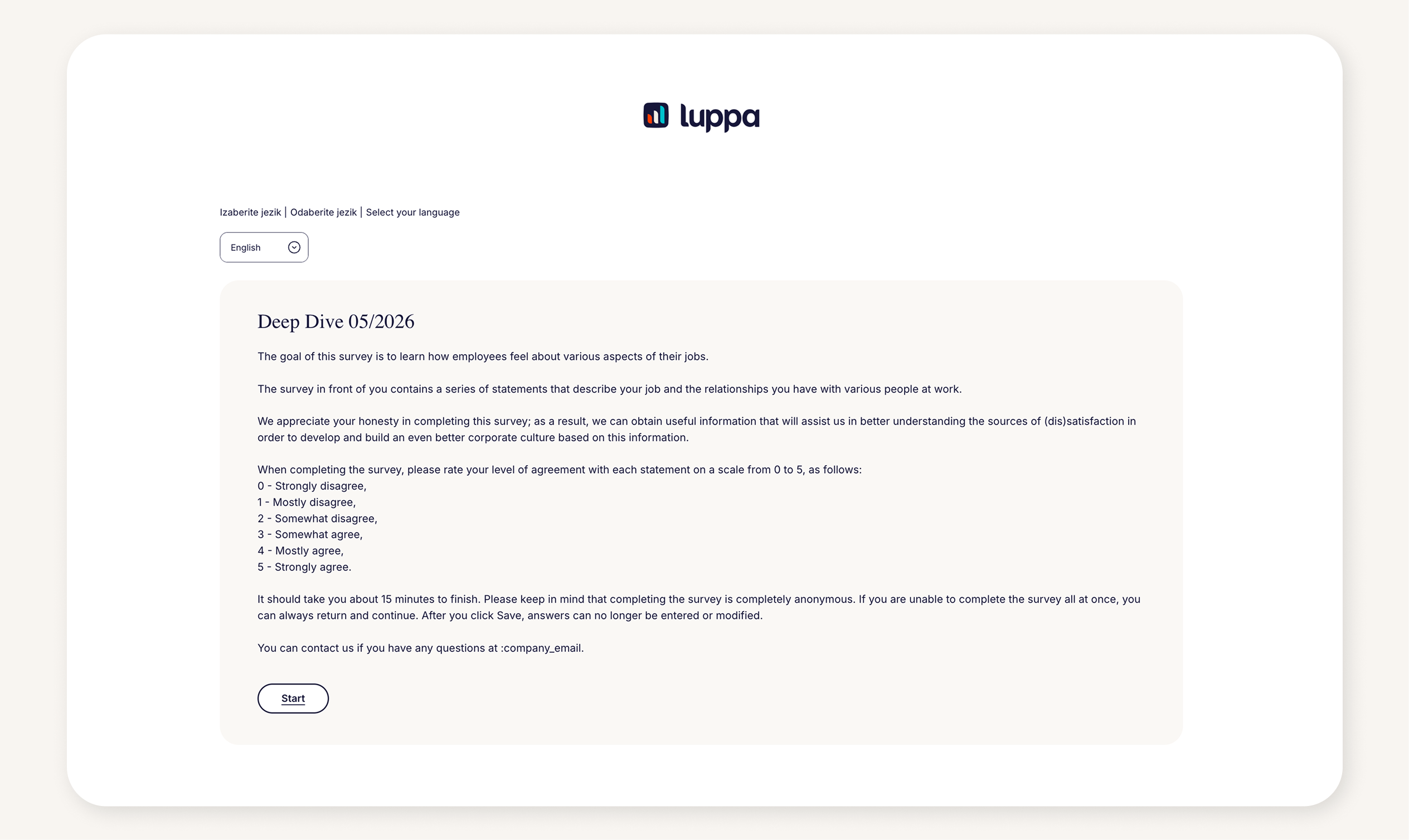
In this setup, employee data is prepared before the survey even starts. Information is pre-loaded via a spreadsheet or an HRIS integration.
In practice, this usually means:
- HR prepares a file (e.g. an Excel export) or connects an HR system
- Fields are mapped once, ensuring data aligns with the survey structure
- Data is uploaded before the survey is launched, so employees do not need to enter any background information themselves
This approach reduces manual input from employees and helps ensure that metadata is consistent and structured from the start.
Typical data includes:
- Email / phone
- Team/division/unit/sector ant etc.
- Location/region etc.
- Gender
- Tenure
- Seniority
- Custom attributes
When an employee answers the survey, the system already has their metadata assigned in a structured and anonymized way. Results remain anonymous, as only grouped data is shown, not individual identities. To learn more about anonymity, click here.
What happens in practice:
- Higher response rates: Survey itself becomes easier to complete. With no extra fields to fill in, employees can focus entirely on answering questions, which typically leads to higher response rates.
- 100% accurate data: Metadata comes directly from HR systems → consistent, structured and significantly more accurate than self-reported input.
- Real-time analytics: Because metadata is already structured, you can track response rates and results in real time by team, location, manager or any other attribute. This makes it much easier to spot where engagement is low and react quickly.
- Better employee experience: The survey feels faster, simpler and less demanding which matters more than it might seem.
- More depth: Instead of collecting just a few basic attributes, you can work with a much richer set of metadata, often 8 to 12 dimensions or more, without adding any burden on employees.
- Anonymity perception: Similar to the previous method, employees do not perceive any meaningful difference in the anonymity of their responses. Even when metadata is imported rather than entered by employees, it does not significantly affect how anonymous respondents feel, as their responses are still associated with existing organizational data.
The elephant in the room: Anonymity
A common concern with metadata is whether employees will feel "identified."
For example, if the system knows someone is "a finance employee with 3 years of experience," does that make them identifiable?
In practice, most of the employee engagement digital tools such as Luppa use anonymity thresholds. Results are only shown for groups that meet a minimum number of responses.
For example, if only 2 employees belong to a specific group, their results will not be displayed separately.
The key is transparency. When employees understand that metadata is used for grouping results and not identifying individuals, trust increases.
What we see at Luppa
At Luppa, we support both approaches.
But in practice:
- Self-reported metadata tends to be harder to maintain and less consistent over time
- Imported metadata enables cleaner datasets, higher response rates and more reliable insights
For most organizations, imported metadata proves to be the more scalable and reliable approach.
Want to create a feedback culture where employees feel heard and engaged? Continue reading our blogs to learn more—or contact us to see how Luppa can help you drive participation, track sentiment, and turn insights into action.
Are you ready to see the numbers? Don't leave your ROI to chance - try our ROI calculator today to build a data-driven case for investing in your people.